 PharmaGuide
Yuka alternative for supplements
Looking for a Yuka for supplements? Meet PharmaGuide.
Yuka shows "Not rated" for supplements. PharmaGuide was built for them: one scan to understand the ingredients and the available quality assessment, check the product against everything else you take, and see considerations for the medications and conditions you add.
Yuka facts checked
Why choose PharmaGuide
Three reasons to scan supplements with PharmaGuide.
- 01
Quality and formulation
Every ingredient, including inactive ones and proprietary blends as printed, and the available quality assessment.
How it works - 02
Everything you take, checked together
Interactions across your whole stack, dose totals across products, and timing conflicts.
How it works - 03
Considerations for you
Checks against the medications you add, pregnancy or breastfeeding and your conditions, plus nutrients your medications may deplete.
How it works
How it works
One scan. Three answers.
A label tells you what's in the bottle. PharmaGuide checks what it can't.
Example scan · sample product
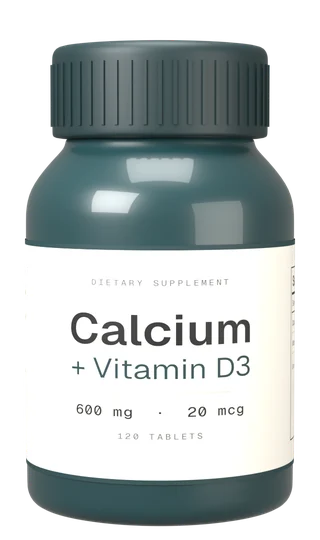
01 · Quality
Is the product any good?
88
Very good · Sample product, illustrative score
- Formulation
- Dose
- Evidence
- Transparency
- Testing & Brand
- Formula & quality checks
Googling “X with Y” usually gives you three different answers. Here, every finding shows its evidence and its source. Reviewed by Laurie Pham, PharmD. Read the methodology →
Yuka vs PharmaGuide
Built for the supplement shelf, and the person taking it.
Yuka grades the product in your hand. PharmaGuide checks what you take, and who is taking it.
| Feature | Yuka | PharmaGuide |
|---|---|---|
| What it's for | YukaFood and cosmetics. Yuka analyzes the composition of the product you scan. Source | PharmaGuideVitamins and supplements, and how they fit with your medications and health profile. Details |
| Vitamins and supplements | YukaShows "Not rated." Yuka lists nutritional supplements among the products it does not rate. Source | PharmaGuideBuilt for them. Barcode scans, ingredients including inactive ones, and the available quality assessment. Details |
| Knows what you take | YukaGrades the product you scan. Its personalized alerts cover diet preferences, such as vegan or gluten-free. Source | PharmaGuideYes. You add what you take, supplements and medications, and the combinations are checked together. Details |
| Medications, pregnancy and conditions | YukaYuka says it does not provide medical advice and may not be appropriate for health conditions. Source | PharmaGuideChecked against your profile: interaction findings for the medications you add, separate pregnancy and breastfeeding flags, and the conditions you enter. Details |
| Price | YukaFree, with an optional paid Premium. Source | PharmaGuideFree, with an optional paid Premium. Details |
“Yuka doesn't rate nutritional supplements or medications since their ingredients are very specific and we have not yet developed a method for analyzing these products.”
What a supplement check needs
Everything PharmaGuide checks.
A food grade asks what's in the product. A supplement check also has to ask who is taking it, with what, and how much of it adds up across bottles.
- 01Medication DepletionMaps supported prescriptions to the vitamins and minerals they may draw down over time.
- 02Stack IntelligenceMulti-way interactions, cross-product dose summation, timing conflicts — your stack analyzed together.
- 03Ingredient & QualityActive and inactive ingredients parsed, proprietary blends read as disclosed, six-part PG Score per product.
- 04Personal FitProfile-gated warnings tuned to your conditions, medications, and goals — irrelevant alerts stay hidden.
- 05Nutrient AccumulationTracks nutrients across your full stack against the RDA and Tolerable Upper Intake Level where one is published.
- 06Recall & SafetyRecall monitoring for saved supplements and medications.
Sourced from 200,000+ NIH labelsOffline-firstPrivate by designClinician-reviewed
PharmaGuide is an educational tool, not medical advice. Checks use the information you provide and the available rules, so bring flagged concerns to your pharmacist or clinician before changing what you take.
Questions
Yuka and supplements, answered.
Does Yuka scan or rate supplements?
You can scan one, but Yuka shows "Not rated." Yuka says it doesn't rate nutritional supplements or medications because their ingredients are very specific and it has not developed a method for analyzing them. Yuka's help article.
Is there a Yuka for supplements?
PharmaGuide is built for supplements. Scan a barcode to see the ingredients and the available quality assessment, then check the product against the medications, pregnancy or breastfeeding status and conditions you add, along with everything else you take. See all features.
Can I use Yuka and PharmaGuide together?
Yes. Yuka is the better tool for food and cosmetics, and Yuka Premium flags foods that don't fit your diet, such as vegan or gluten-free. PharmaGuide covers vitamins and supplements, and how they fit with your medications and health profile.
Is PharmaGuide affiliated with Yuka?
No. PharmaGuide is an independent app. Yuka is a trademark of its owner; we describe it only from Yuka's own published pages, linked on this page.
Is PharmaGuide free?
Basic use is free forever. Beta includes all available features. After beta, Free includes barcode scans, available quality assessments, interaction and condition findings, recall alerts and details, and a limited stack and chat allowance. Optional Premium adds supplement search by name, larger stacks and more chat.
How accurate is the data?
Interaction content is checked against applicable regulatory sources, published research and clinical references. NIH DSLD supplies label information; inclusion is not agency endorsement or proof of product quality. Interaction findings can include an evidence level (Established / Probable / Moderate / Limited / Theoretical) so you know how strong the clinical literature is. When evidence is weak, conflicting, or incomplete, we say so directly.
Is my health data actually private?
Yes. Your medications, conditions and health profile stay on your device by default, and interaction checks run there. If you create an account, we store a copy of your supplement product list in your account — never your medications or conditions. You can separately choose to share a brief or a temporary encrypted snapshot with an AI assistant; the app previews exactly what you selected. Disconnecting cannot erase the assistant’s existing chat history. See our Privacy Policy. We do not sell health data.
Does it work offline?
Yes. The product catalog is pre-loaded on your device. Scanning, search, interaction checks, and stack analysis all run locally — works in pharmacies, on flights, anywhere with one bar of signal. Catalog updates and online features such as AI chat require an internet connection.
Yuka sources · checked
- Yuka Help: Why are nutritional supplements and medications not rated?
- Yuka Help: Why does a scanned product not have a score?
- Yuka Help: Which features are included in the paid version of Yuka?
- Yuka Help: What are Yuka's limitations?
Yuka is a trademark of its owner. PharmaGuide is not affiliated with, endorsed by or sponsored by Yuka.
Keep reading
See it in practice and how we check it.
Features
The 6 pillars in depth
Medication depletion · Stack intelligence · Quality transparency · Personal fit · Nutrient accumulation · Recall awareness.
ReadCompare
PharmaGuide vs SuppCo
SuppCo rates supplement quality and your stack. PharmaGuide also checks it against your medications, pregnancy and conditions. Compared side by side.
ReadCompare
PharmaGuide vs Prove It
Prove It reviews supplement research by subscription. PharmaGuide checks your medications, pregnancy, conditions and stack. Free to start.
ReadMethodology
How we verify interaction data
Primary sources, the verification steps, and where clinical review takes over.
Read
Join the founding testers.
We're adding founding testers by hand. Join the list for an invitation when a place is available. Your feedback will help us find what needs work.
Free during betaNo credit cardWe never sell your health data
Questions about privacy, pricing or a product we don’t have yet? Read the FAQ →
Inside the beta
- 01
Scan & search
Scan a barcode or search for a supplement. Check that the product and label match what you have.
- 02
Verdicts with reasoning
Review product information and interaction warnings. Available details depend on the product and the evidence behind the result.
- 03
Personal Fit
Your profile and the details you enter help put results in context. Coverage varies, so bring questions to your pharmacist or clinician.
+ everything that ships at launch